
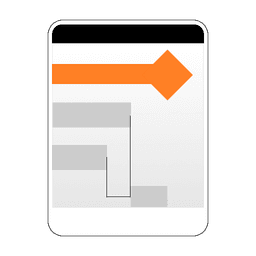
Screenshots
About Gantt Chart
Gantt Chart is a project management app that lets you create visual timelines, track tasks, and coordinate team efforts from your Android device. Build comprehensive project plans with tasks, subtasks, and milestones, then visualize dependencies with linking to see how each component connects to the next.
The task management system keeps everything organized. Create hierarchical task structures, assign work to team members, and track progress with automatic synchronization. Filter your task list by date, completion status, or person to focus on what matters most right now. Open any task to edit details, adjust timelines, or update progress in real time.
The interactive Gantt chart view shows your entire project timeline at a glance. Swipe to navigate across dates, zoom in or out to adjust your view, and tap directly on the chart to modify task details. Collapse subtasks to reduce visual clutter when you're reviewing high-level schedules. Manage task dependencies by creating links that show relationships between activities, with invalid connections highlighted in red so you can catch scheduling conflicts immediately.
Stay organized beyond just scheduling. The built-in memo pad captures notes and ideas, while the Todo list keeps daily tasks separate from your project plan. Both integrate seamlessly into your workflow, letting you switch between project-level planning and day-to-day execution without leaving the app.
Export and share your work whenever you need to. Generate PDF files for reports and presentations, or upload your project to the cloud to collaborate with teammates. Cloud sharing requires registration, letting you maintain version control and keep everyone aligned on schedule changes. A summary table displays all tasks and links in structured format for quick reference or external reporting.
The app runs without ads when you enable the Premium upgrade, giving you an uncluttered experience during intensive planning sessions. Navigation is intuitive: long-tap projects to access editing options, use the plus button to create new projects, and access cloud sharing through the dedicated cloud menu. A timer function lets you set push notifications to stay on schedule.
Gantt Chart combines the structured planning tools of enterprise software with the simplicity of mobile-first design, making professional project management accessible whether you're managing a single initiative or coordinating multiple concurrent efforts.
Pros & Cons
Pros
- Interactive Gantt chart with zoom and swipe navigation for timeline review
- Hierarchical task structure with subtasks, dependencies, and conflict detection
- Built-in memo pad and todo list integrated into project workflow
- PDF export and cloud sharing for team collaboration and reporting
Cons
- Cloud sharing requires account registration and setup before use
- Premium upgrade needed to remove ads during planning sessions
- No mention of offline functionality or local-only project access
- Android-only app with no iOS or desktop version available
Related Apps

C-pay
Wallypay
Financial app for payments, transfers, loans, and money tracking — secure, simple, 24/7 support.

All In One Online Shopping App
Apps World Technologies
Online shopping app for Amazon, Flipkart, Myntra & 500+ stores—compare prices instantly.

PowerShell
Windows command-line automation and system administration with PowerShell — advanced scripting, cmdlets, and cloud integration.

Codex
AI code agent that writes, tests, and refactors code from natural language—integrate with GitHub and VS Code.

CSB Business Mobile Banking
Cambridge Savings Bank
Business mobile banking with account transfers, check deposits, and biometric security for CSB customers.

AOMEI Partition Assistant
Partition management for Windows — safely resize, move, copy, and migrate partitions with AOMEI Partition Assistant.
Latest Articles

Melhores aplicativos para transformar um telefone Android antigo em servidor de mídia de carro em 2026 (testamos 7)
Jul 21, 2026
Melhores aplicativos para clonar unidades M.2 NVMe no desktop em 2026 (7 ferramentas testadas em uma atualização real de 2 TB)
Jul 21, 2026
Melhores aplicativos para ajustar o áudio do Linux em PCs portáteis em 2026 (7 ferramentas testadas em ROG Ally X e Steam Deck)
Jul 21, 2026

Melhores alternativas para Whee - TikTok Chat em 2026 (7 opções)
Jul 21, 2026

Melhores alternativas para Kiko - Friends & Video Chat em 2026 (7 escolhas)
Jul 21, 2026